Getting Started with Node.js: Installation to Your First Server
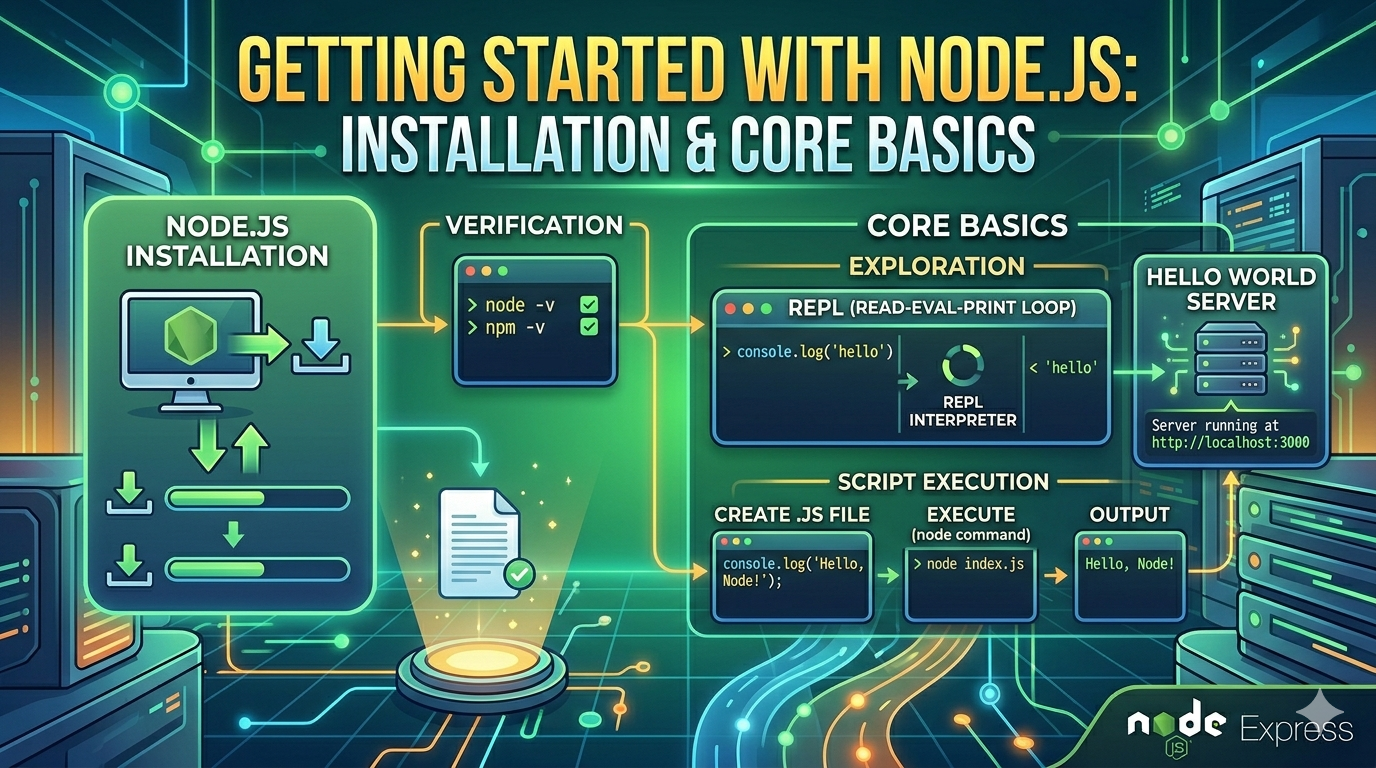
Topics to Cover
Installing Node.js
Checking installation using terminal
Understanding Node REPL
Creating first JS file
Running script using node command
Writing Hello World server
If you're new to backend development, Node.js is one of the easiest ways to get started. This guide walks you through everything from installing Node to running your first server — no frameworks, just core concepts.
🔹 1. What is Node.js?
Node.js is a JavaScript runtime that lets you run JavaScript outside the browser, typically on your computer or a server.
👉 Instead of running JS in Chrome, you run it in your terminal.
🔧 2. Installing Node.js (OS-Neutral)
Go to the official website: 👉 https://nodejs.org
Download the LTS (Long Term Support) version
Run the installer and follow the default steps
✔ Works for Windows, macOS, and Linux
✅ 3. Check Installation (Important Step)
Open your terminal (Command Prompt / Terminal / Shell) and run:
node -v
You should see something like:
v18.x.x
Also check npm (Node package manager):
npm -v
👉 If both commands work, Node is installed correctly.
🧠 4. What is the Node REPL?
Before writing files, let’s understand the REPL.
REPL = Read, Evaluate, Print, Loop
It’s an interactive environment where you can run JavaScript line by line.
▶️ Start REPL
node
You’ll see:
>
Now you can type JavaScript:
console.log("Hello from REPL");
Output:
Hello from REPL
👉 Great for testing small snippets quickly.
📄 5. Creating Your First JavaScript File
Create a file named:
app.js
Add this code:
console.log("Hello from Node.js!");
▶️ 6. Running Your First Script
In your terminal, navigate to the folder and run:
node app.js
Output:
Hello from Node.js!
🎉 You just ran your first Node program!
🌐 7. Writing a Simple Hello World Server
Now let’s create a basic server using Node’s built-in http module.
const http = require('http');

const server = http.createServer((req, res) => {
  res.write('Hello World from Node Server!');
  res.end();
});

server.listen(3000, () => {
  console.log('Server running at http://localhost:3000');
});
▶️ Run the Server
node app.js
Open your browser and visit:
http://localhost:3000
You’ll see:
Hello World from Node Server!
🔁 8. Node Execution Flow (Simple Diagram)
[JavaScript File]
        ↓
[Node Runtime]
        ↓
[Execution Engine (V8)]
        ↓
[Output in Terminal / Browser]
🧱 9. Script → Runtime → Output Flow
Write Code → Run with "node" → Node Executes → Output Appears
🚀 Key Takeaways
Node.js lets you run JavaScript outside the browser
Use
node -vto verify installationREPL is great for quick testing
.jsfiles are executed usingnode filename.jsYou can build servers using built-in modules (no frameworks needed)


