JavaScript Array Flattening: Enter the Nested Worlds (Inception Style)

Imagine you’re watching Inception, where every dream contains another dream. Arrays in JavaScript can be just like that — nested within nested, creating layers of complexity. To work with the “real world” of data, we often need to flatten these nested arrays into a single layer. Let’s take a deep dive.
What Are Nested Arrays?
A nested array is an array that contains other arrays as its elements. Think of it as dreams within dreams.
const dreamLevels = [1, [2, [3, 4], 5], 6];
Here:
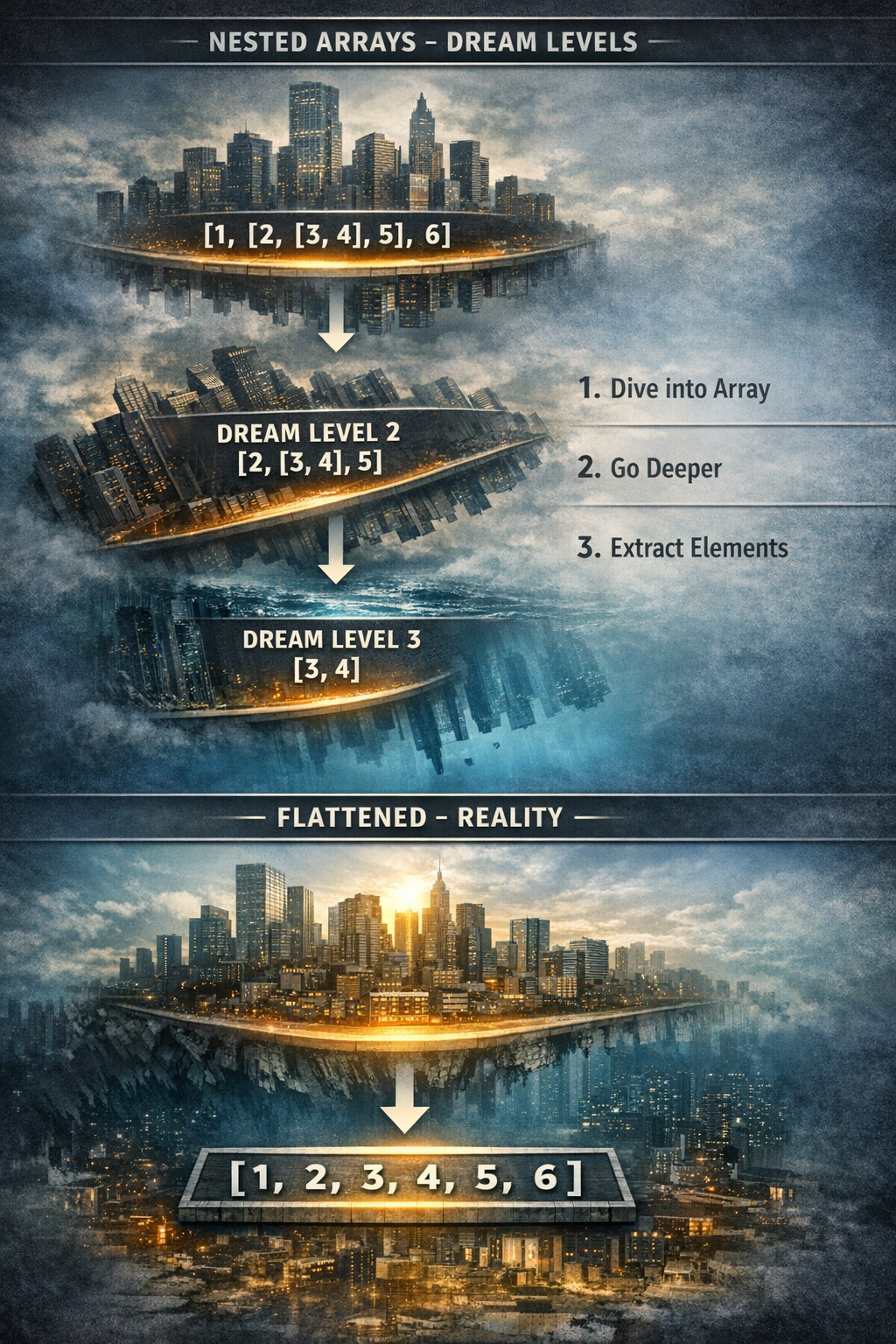
1 and 6 are in the top-level dream. [2, [3, 4], 5] is the second-level dream. [3, 4] is the third-level dream, nested even deeper.
Visually:
Level 1: [ 1, [ 2, [ 3, 4 ], 5 ], 6 ]
Level 2: 2, [ 3, 4 ], 5
Level 3: 3, 4
Why Flatten Arrays ?
Flattening is like waking up from all dream levels into reality. It’s useful because:
You can process all elements without worrying about depth. It simplifies filtering, mapping, or reducing arrays. Many real-world APIs return nested data, which you need to handle cleanly. Concept of Flattening
Flattening is the process of converting a multi-level nested array into a single-level array.
Example:
const nested = [1, [2, [3, 4], 5], 6];
const flat = [1, 2, 3, 4, 5, 6];
Different Approaches to Flatten Arrays in JavaScript
- Using Array.prototype.flat()
ES2019 introduced flat() for arrays. You can define how many levels to flatten.
const nested = [1, [2, [3, 4], 5], 6];
console.log(nested.flat()); // [1, 2, [3, 4], 5, 6] -> one level
console.log(nested.flat(2)); // [1, 2, 3, 4, 5, 6] -> two levels
Tip: Use Infinity to flatten all levels.
nested.flat(Infinity); // [1, 2, 3, 4, 5, 6] 2. Using Recursion
If you want to understand the logic behind flattening:
function flatten(arr) {
 let result = [];
 for (const item of arr) {
 if (Array.isArray(item)) {
    result = result.concat(flatten(item));
  } else {
result.push(item);
 }
}
return result;
}

flatten([1, [2, [3, 4], 5], 6]); // Output: [1, 2, 3, 4, 5, 6]
Step by step:
Check each element. If it’s an array → dive deeper (recursion). If it’s not an array → push to the result.
This mimics going through nested dream levels in Inception: one layer at a time.
Using Reduce const nested = [1, [2, [3, 4], 5], 6];

const flat = nested.reduce((acc, val) => acc.concat(Array.isArray(val) ? flatten(val) : val), [] );

flat; // [1, 2, 3, 4, 5, 6] Elegant functional approach.
// Good for coding interviews.
// Common Interview Scenarios Flatten one level only Input: [1, [2, 3], 4] → Output: [1, 2, 3, 4]
// Flatten arbitrary depth Input: [1, [2, [3, [4]]]] → Output: [1, 2, 3, 4]
// Flatten and filter unique elements Input: [1, [2, [2, 3]], 3] → Output: [1, 2, 3] Flatten objects within arrays Input: [{id: 1}, [{id: 2}]] → Output: [{id: 1}, {id: 2}] Visualizing Flatten Transformation

Nested Array (Dreams)

[1, [2, [3, 4], 5], 6]

Flattened (Reality)

[1, 2, 3, 4, 5, 6]
Think of each nested array as a level of dream. Flattening is waking up from all levels until you reach the top reality.
Flattening arrays is a powerful tool in JavaScript, whether you’re handling nested API data, simplifying loops, or preparing for coding interviews. Remember:
flat() → simple and modern. Recursion → great for understanding and interviews. Reduce → functional approach, concise and powerful.
Just like in Inception, going through nested layers can be tricky—but with the right approach, you’ll always wake up in the world of clean, flat data, below some visuals