Understanding Network Devices
What is a Modem and how it connects your network to the internet?
What is a Router and how it directs traffic?
Switch vs Hub: how local networks actually work?
What is a Firewall and why security lives here?
What is a Load Balancer and why scalable systems need it?
How all these devices work together in a real-world setup?
Before we talk about routers, firewalls, or load balancers, we need to answer some simpler question:
How does the internet actually reach a computer in your home or office?
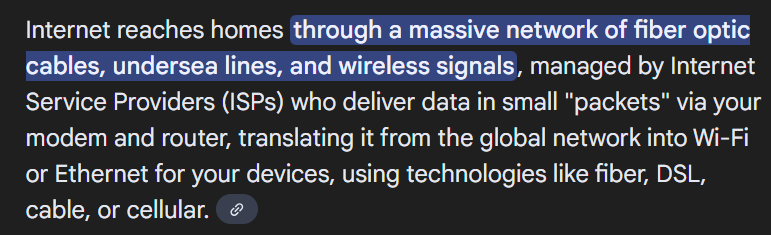
and what is INTERNET ?
The OSI (Open Systems Interconnection) Model is a 7-layer conceptual framework that standardizes how different computer systems communicate, acting as a universal language for networking by breaking down complex functions into manageable layers, from physical connections (Layer 1) to user applications (Layer 7).

and What is network ?
computer+wires(way)+rules(protocols) = network.
network + network …… + n number of networks connected to each other = INTERNET.
So, what do you think what happens when you search,
twitter.com on google,
if you have not explored networking or you belong to non tech category, you thinks that when we put url, the browser takes us to this website called twitter.com, no the brower never takes us to nowhere, the website is served to us,
just imagine it is like ordering food in restaurant, you ordered some delicious food, mine is paneer tikka, so staff (browser is waiter of internet) takes our order goes to kitchen(DNS) and find the chef(root server) who makes paneer related stuff, after cooking my delicious panner tikka, the waiter(browser) serves my meal on my table.
So,When you type a URL into a browser, your request doesn’t magically reach a server.
It travels through a chain of physical networking devices, each with one specific job:
One device brings the internet signal into your building
One device decides where traffic should go
One device connects many local machines efficiently
One device protects the network
One device spreads traffic across many servers
Understanding networking becomes easy when you stop memorizing terms and instead follow the path of a packet.
![Why is the Internet not Working? [Infographic]](https://www.ritterbusiness.com/hs-fs/hubfs/blog_images/Internet_Flow_Infographic.jpg?width=790&height=284&name=Internet_Flow_Infographic.jpg)
okay enough of the basic, let move further and discuss some what above of the devices do ?
1.What is a Modem and how it connects your network to the internet?
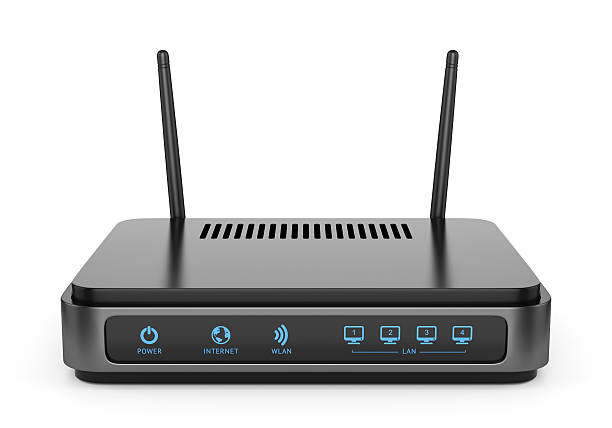
If you are reading this article on your computer at home, it probably arrived via modem.
So what actually is a modem -
Modulator-Demodulator. The modem is defined as a networking device that is used to connect devices connected in the network to the internet.
main function of modem
analog signal → digitial forms (0,1)
how it connects network to the internet, if in one line it is -
A modem connects a network to the internet by acting as the network’s single translation point between the ISP’s signal and Ethernet IP traffic.
Your network speaks:
Ethernet
IP packets
TCP/UDP
Your ISP speaks:
- cable / fiber / DSL signals
These two cannot talk directly.
Modem Operates At
OSI Layer 1 (Physical Layer)
Converts physical signals (electrical / light / radio)
Handles modulation and demodulation
Deals with bits, not packets or IPs
No awareness of IP addresses
The modem sits between them and translates in both directions.
types of modem
Dial-up modem
DSL modem
Cable modem
Fiber modem (ONT)
Cellular / Mobile modem
Satellite modem
click here to read more about working, we aint getting this deep here so have a read at this,
how modem works -
2.What is a Router and how it directs traffic?
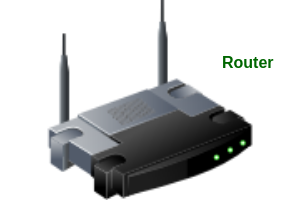
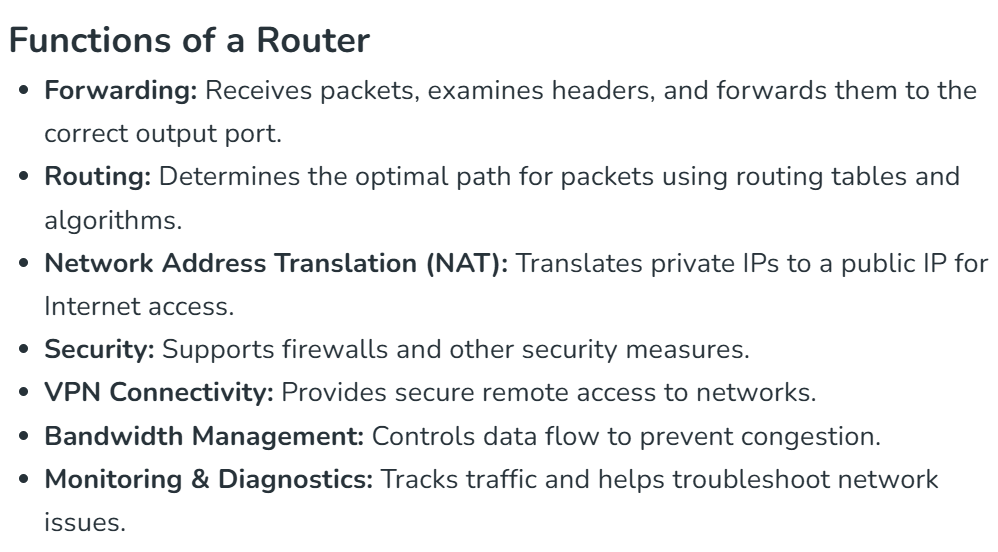
A router is a networking device that forwards data packets between different computer networks. It connects multiple packet-switched networks or subnetworks, managing traffic by directing packets to their intended IP addresses. Routers allow multiple devices to share an Internet connection efficiently. Routers often work with a modem (cable, DSL, or fiber) to enable Internet connectivity
Router Operates At
OSI Layer 3 (Network Layer)
Reads IP addresses
Makes routing decisions
Forwards packets between networks
Fully IP-aware
How Does a Router direct traffic?
Routers determine the path for a packet by examining its destination IP address and consulting the routing table, which contains information on network paths. They use a set of rules to identify the most efficient route for each packet.
Static routing: Configured manually, suitable for small or stable networks.
Dynamic routing: Automatically updated based on network activity, ideal for large or changing networks.
3. Switch vs Hub: how local networks actually work?
Switch vs Hub: How Local Networks Actually Work
1. What Is a Local Network (LAN)?
A Local Area Network (LAN) connects devices within a limited area such as a home, office, or data center. Devices inside a LAN communicate using Ethernet frames.
2. Hub
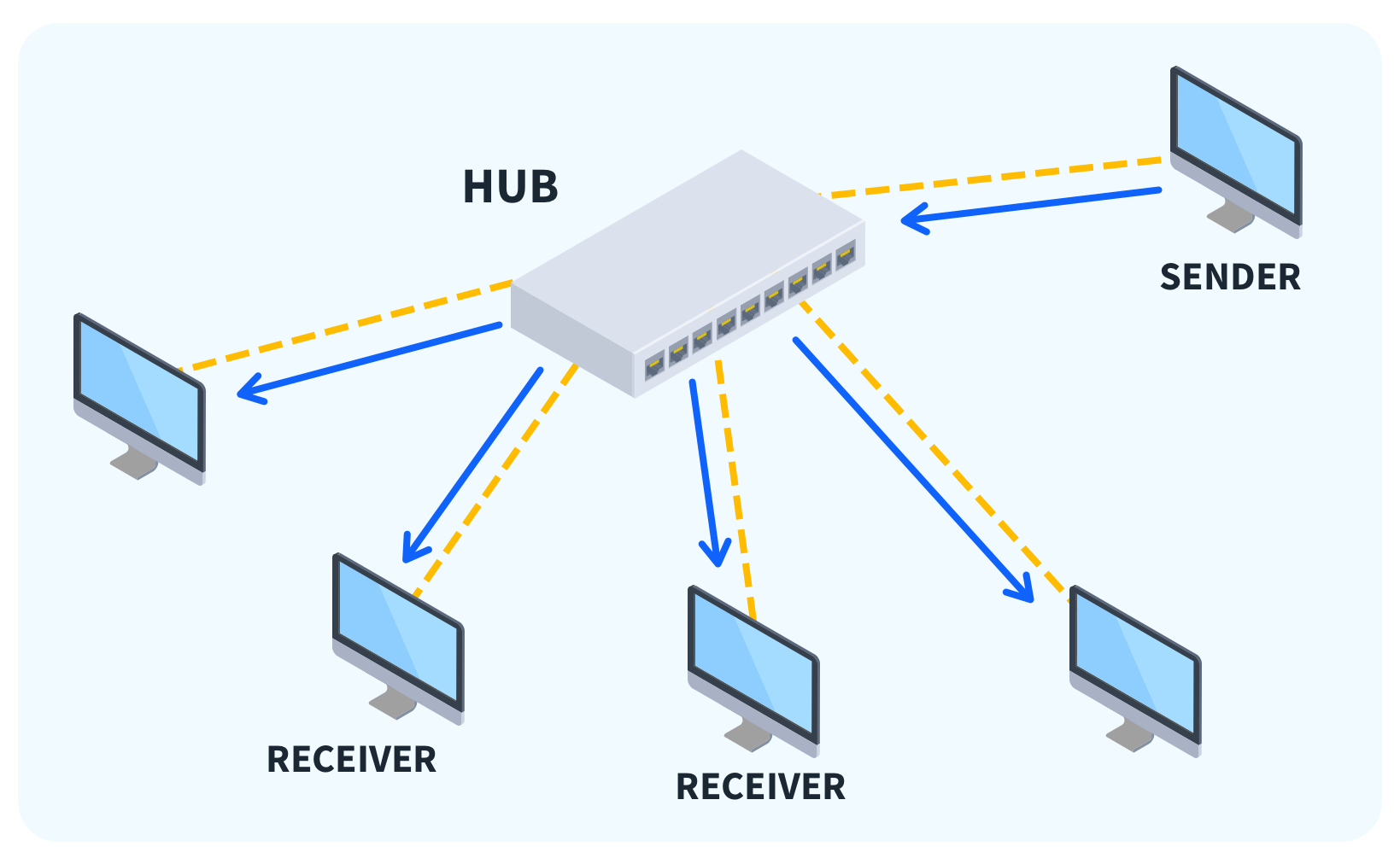
A hub is a basic networking device that sends incoming data to all connected devices, regardless of the destination.
Core Responsibility
Broadcast everything to everyone.
How a Hub Works
A device sends data to the hub
The hub receives the data
The hub copies and forwards the data to all ports
Characteristics
All devices receive all traffic
Only one device can transmit at a time
Collisions are common
OSI Layer
- Layer 1 – Physical Layer
Analogy
A person shouting in a room — everyone hears the message, even if it’s not meant for them.
Limitations
Poor performance
Wasted bandwidth
No security
Rarely used today
3. Switch
A switch is a networking device that forwards data only to the intended destination device.

Core Responsibility
Deliver data to the correct device efficiently.
How a Switch Works
A device sends a frame to the switch
The switch reads the destination MAC address
The switch forwards the frame only to the correct port
Characteristics
Multiple devices can communicate simultaneously
No collisions
Efficient use of bandwidth
OSI Layer
- Layer 2 – Data Link Layer
Analogy
A postal service delivering mail to specific houses.
Advantages
High performance
Better security
Scalable
Used in all modern networks
4. Hub vs Switch Comparison
| Feature | Hub | Switch |
| Traffic handling | Broadcast to all | Send to specific device |
| OSI Layer | Layer 1 | Layer 2 |
| Collisions | Yes | No |
| Bandwidth usage | Inefficient | Efficient |
| Security | Poor | Better |
| Usage today | Obsolete | Standard |
5. How Local Networks Actually Work Today
Modern LANs use switches, not hubs.
Typical LAN communication:
Device → Switch → Destination device
Each device has a dedicated connection
Multiple conversations happen at the same time
6. Why This Matters (Software Engineering Perspective)
Switch behavior affects:
Network latency
Throughput
Scalability
Debugging and packet analysis
In production environments:
Switches connect servers in data centers
VLANs isolate traffic
Network performance directly impacts application performance
Takeaway from above
A hub broadcasts. A switch delivers.
4. What is a Firewall and why security lives here?
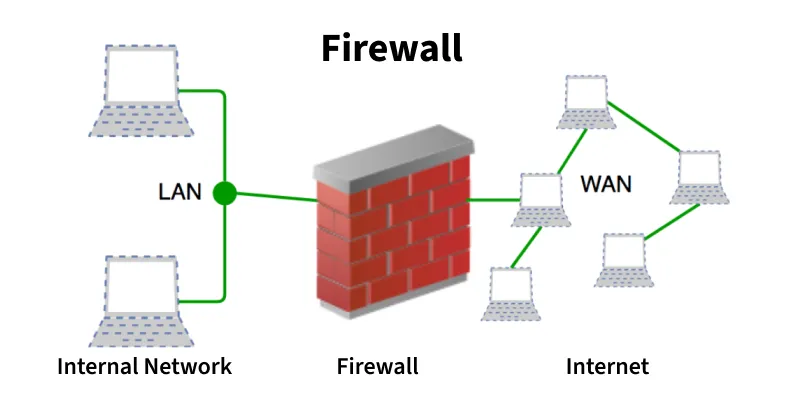
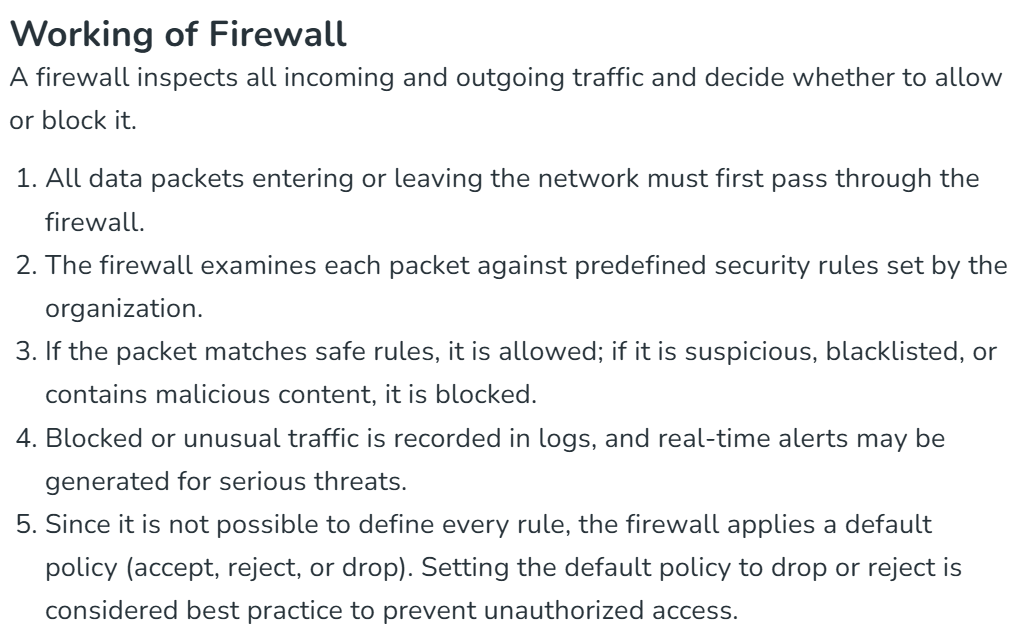
A firewall in a computer network is a security system that monitors and controls incoming and outgoing traffic, acting as a barrier between a trusted internal network and untrusted external networks like the internet, based on predefined security rules. It filters data packets, deciding to allow, block, or drop them to prevent unauthorized access, malicious attacks, and data theft, safeguarding private networks from threats like hackers and viruses. Firewalls can be hardware, software, or cloud-based, and modern versions offer advanced features like deep packet inspection and application control.
5. What is a Load Balancer and why scalable systems need it?
load balancer is just like a traffic police officer, which mnages the flow of traffic for smooth vehicle movements.
a more accurate definition - A load balancer in a computer network acts as a "traffic cop," distributing incoming network traffic across multiple servers (or resources) to ensure no single server gets overwhelmed, thereby improving application performance, reliability, scalability, and availability by preventing bottlenecks and facilitating efficient resource use. It sits in front of servers, routing client requests to healthy servers using algorithms, and can be hardware or software-based, essential for high-traffic applications and data centers.

How a load balancer works,
it acts as a proxy, we assume we put a request to twiiter.com server, but in reality it’s not, the request reached proxy server
it used algos to send request to the server
it continuosly moniors the sytem health, and redirect traffic from unhealthy servers
without load balancers
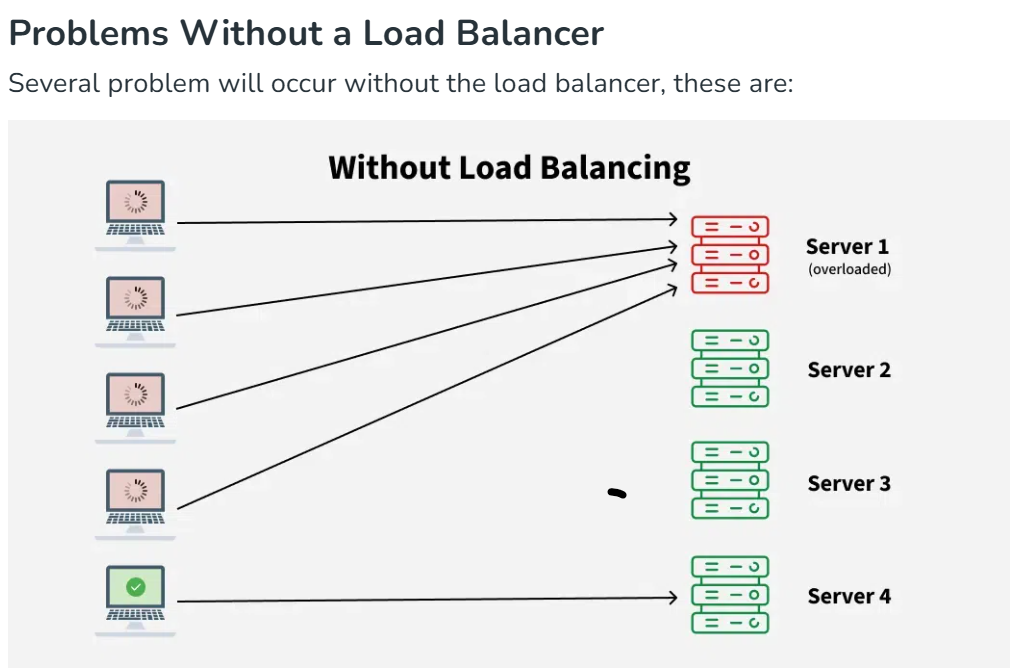
single point of failures
overloaded
limited scalablity
if we put a synposis of load balancer, it just manages client request to avoid overloading on servers by continuosly monitoring the health of the server
scalable system needs because, system this big need to be reliable, if they have to compete or serve to clients, imagine your system getting crashed daily, it will impact both the users and the company, it can cost money, afterthoug everything is running for money.
How all these devices work together in a real-world setup?
these system are on very large scale, to understand this at small scale, assume this as water/electricity supply sytstem of a building, how water and electricity is availble in each room, room→switch on → using wires → building→power supply meter/generators→ transformers→ Electricity Supply Department → Electric Power Plant, this is done in a very controlled way, otherwise it can cause some dangerous things to happens.
in this way, all these system works in a conteolled way, to safely browse and serve client, smoothly without exposing data leak, although it happens sometime.
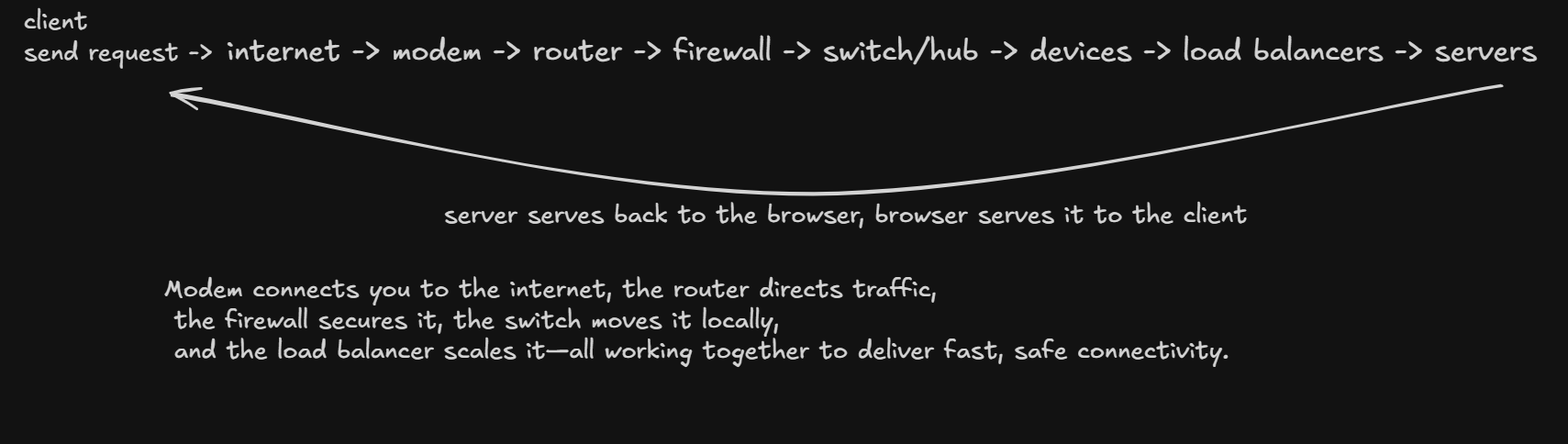
Real-World Example: Opening a Website at Work
You type twitter.com on your computer
Request goes to the switch
Switch forwards it to the router
Router checks with the firewall → allowed
Router sends request through the modem to the ISP
Website response comes back
If it’s a large service (like twiiter/amazon/fb), a load balancer chooses a server
Response travels back through the same path to your computer
these are just surface level explanations or basic overview, you can read more about these things at - geekforgeeks


